
If you are playing your favorite game and suddenly see a "Press L + R" screen even though your controllers are attached, you have a sync problem. This usually means the metal rail on the side of your controller or console isn't talking to the other side. Here’s the thing: most of the time, you don't need to buy new gear. You can handle a Joy-Con slider repair at home with a few simple steps.
1. Diagnosing the Problem: Is it the Controller or the Switch?
Before picking up tools, let’s break down the hardware. Your Switch uses tiny gold pins at the bottom of the slider rail to send data and power. If these pins get dirty, bent, or loose, the connection breaks.
The Swap Test
What this really means is isolating the failure. Borrow a friend's Joy-Con. If their controller works on your Switch, your Joy-Con rail is the problem. If their controller also fails to sync, your Switch console rail is likely the hardware gap.
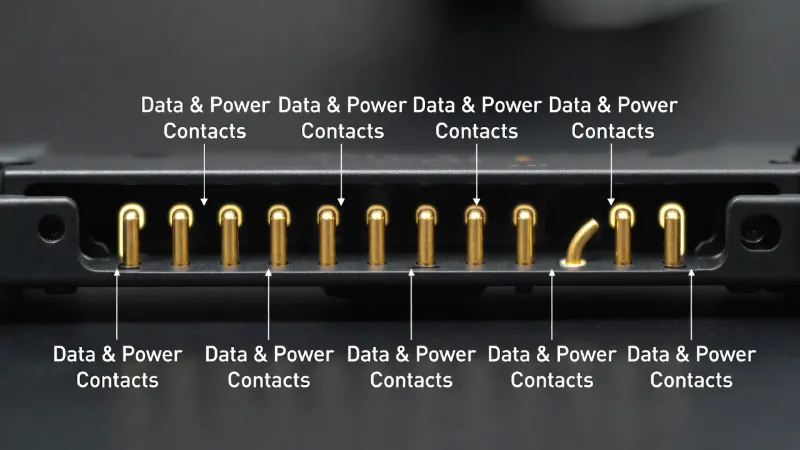
Pro Tip:
If your SL/SR buttons and sync lights are also dead, the internal ribbon cable inside the slider is likely torn or disconnected.
Launch Tester Tool2. Level 1: Non-Invasive Fixes (No Tools Needed)
Often, skin oils or dust block the signals. These are the "easy wins" for a Joy-Con slider repair.
- The Alcohol Refresh: Dip a Q-tip in 90% Isopropyl Alcohol. Gently rub the gold pins on both the controller and console. Never use water; it causes rust.
- The System Reset: Go to System Settings > Controllers and Sensors > Update Controllers to rule out software glitches.
3. Level 2: The "Cardboard Shim" Hack
Sometimes the rail isn't broken—it’s just loose. If your controller wobbles, it can't stay synced. This community favorite fix adds the physical pressure needed to maintain a connection.
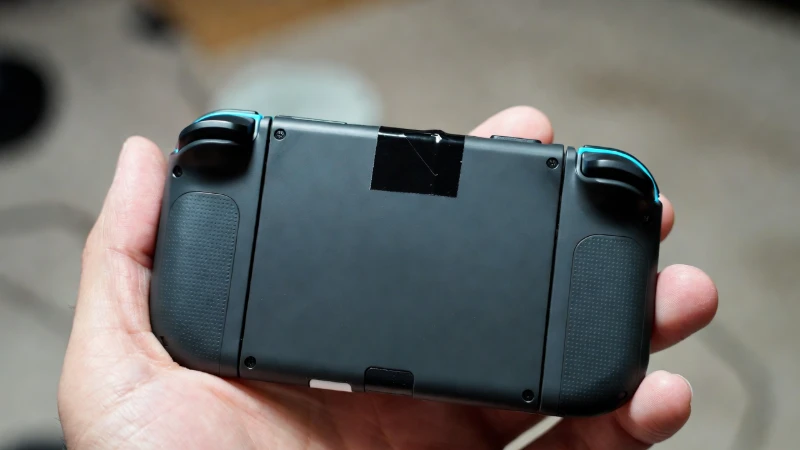
Cut a tiny square of electrical tape or thin cereal box cardboard. Stick it on the back of the Joy-Con near the top of the rail. This pushes the pins closer together when attached.
4. Level 3: Internal Hardware Replacement
If cleaning fails, you may need a physical Joy-Con slider repair involving parts. This is common for high-use consoles.
| Part Needed | Tool Required | Cost |
|---|---|---|
| Replacement Rail | Y00 Tri-wing | ~$8.00 |
| Internal Flex Cable | PH000 Phillips | ~$5.00 |
Joy-Con Slider Repair FAQ
Why does my Joy-Con work wirelessly but not attached?
This is a classic sign of dirty or bent pins on the rail. The battery works, but the "data path" to the console is blocked.
Can a software update fix connection issues?
Yes. Always update your controllers in the Switch settings menu before trying hardware repairs.
Will this fix my SL/SR buttons?
If the slider rail is replaced, it usually includes the SL/SR button board, fixing those buttons as well.