
Stick drift is the worst. You are trying to line up a headshot, and suddenly your crosshair drifts to the left. It ruins games. If you are reading this, you are probably tired of buying new controllers every six months. You have heard about the "Hall Effect upgrade" as the permanent fix. But is it actually worth the hassle? And between the big brands like GuliKit and K-Silver, which one should you actually buy?
Before you start:
Make sure you have tested your controller to confirm it actually has drift before buying parts.
Launch Tester ToolWhat Is a Hall Effect Upgrade and Why Does It Matter?
To know if a Hall Effect upgrade is worth it, you have to understand why your current stick failed. Standard controllers (like the DualSense or Switch Joy-Cons) use parts called potentiometers.
Think of these like windshield wipers on a dirty car. Every time you move the stick, a little metal brush rubs against a carbon track. Eventually, that track wears down. That dust confuses the sensor, and boom—you have stick drift.
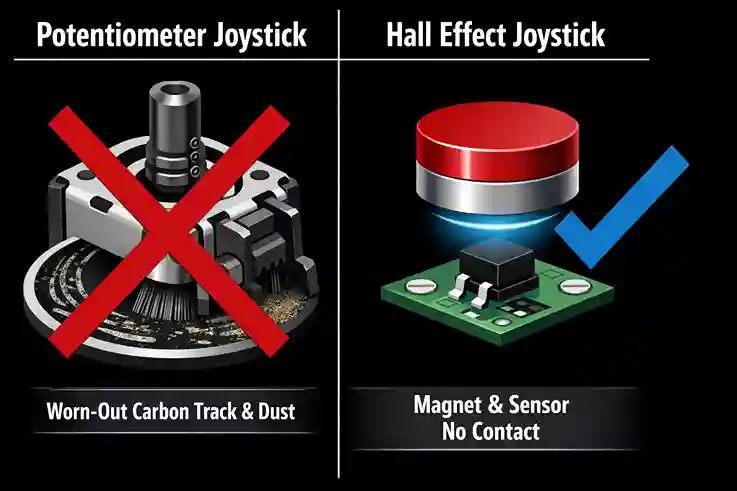 Physical wear causes drift. Hall Effect uses magnets to eliminate contact entirely.
The Hall Effect Difference
A Hall Effect joystick uses magnets. There is no physical contact. No rubbing means no wear and tear.
- Standard Stick: Lasts about 400 to 2,000 hours.
- Hall Effect Stick: Theoretically lasts forever (or at least until the buttons break).
The New King: TMR Technology
You might also see the term TMR (Tunneling Magnetoresistance). This is the newer, smarter version of Hall Effect. It uses less battery power and is even more precise because it relies on quantum tunneling rather than just magnetic fields. If you are shopping for a Hall Effect upgrade today, TMR is often the better choice for wireless controllers because it drains less battery.
GuliKit vs. K-Silver: Which Hall Effect Upgrade Is Best?
This is the big debate. Most generic "anti-drift" sticks on Amazon are actually re-branded versions of these two giants. Here is the thing: they feel very different.
GuliKit Hall Effect Upgrade
GuliKit is famous for making drop-in kits. They are very popular for the Steam Deck and Nintendo Switch.
- The Feel: Very smooth ("organic"). However, some gamers find the tension a bit "soft" compared to stock Xbox controllers.
- The Tech: They use a separate sensor design. It is stable, and their new TMR models (NS51) have incredible battery efficiency.
- Best For: Steam Deck users and Switch owners who want an easy install.
K-Silver Hall Effect Upgrade (JH16 / JH13)
K-Silver modules are often found in high-end pro controllers or sold as raw parts for modders.
- The Feel: Stiffer and snappier. This often feels closer to a brand-new Xbox controller.
- The Tech: They use a "Magnet-on-Shaft" design. This usually gives better "circularity" (drawing a perfect circle) right out of the box without needing much software tweaking.
- Best For: PS5 and Xbox modders who are comfortable with soldering.
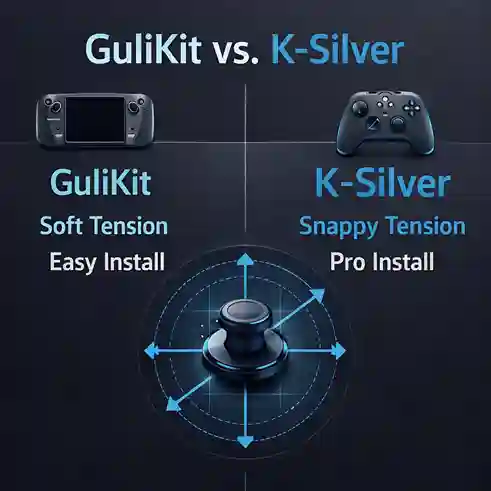 Choose GuliKit for ease of use, or K-Silver for that classic "Pro Controller" tension.
Comparison Table: GuliKit vs. K-Silver
| Feature | GuliKit (TMR/Hall) | K-Silver (JH16/JH13) |
|---|---|---|
| Drift Resistance | Excellent (Magnetic) | Excellent (Magnetic) |
| Installation | Easier (Often plug-and-play) | Harder (Often requires soldering) |
| Stick Tension | Softer / Smoother | Stiffer / Snappier |
| Battery Impact | Low (Especially TMR models) | Low to Medium |
| Best For | Steam Deck, Switch, ROG Ally | PS5, Xbox Series X/S |
Is the Hall Effect Upgrade Worth It for Gaming Performance?
Yes, but there is a catch. If you are a casual gamer playing Zelda or Forza, the upgrade is 100% worth it. You get smooth controls that never drift.
However, if you play competitive shooters like Call of Duty or Apex Legends, you need to know about "The Slippery Effect."
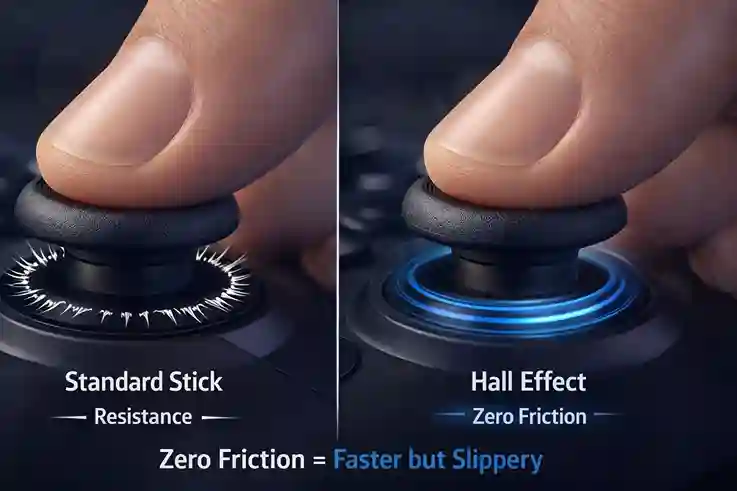 Hall Effect sticks have zero friction, which is great for speed but can make micro-aiming feel "slippery" at first.
Because Hall Effect sticks have no friction (no rubbing parts), they feel incredibly fast.
- The Pro: You can react instantly.
- The Con: It can feel slippery. It is harder to make tiny micro-adjustments because there is no resistance to steady your thumb.
How to fix the slippery feel: If you do the Hall Effect upgrade for an FPS game, consider adding "precision rings." These are foam rings that go around the stick to add back some physical resistance.
How Hard Is the Hall Effect Upgrade Installation?
This is where many people get stuck. Is the Hall Effect upgrade worth it if you break your controller trying to install it?
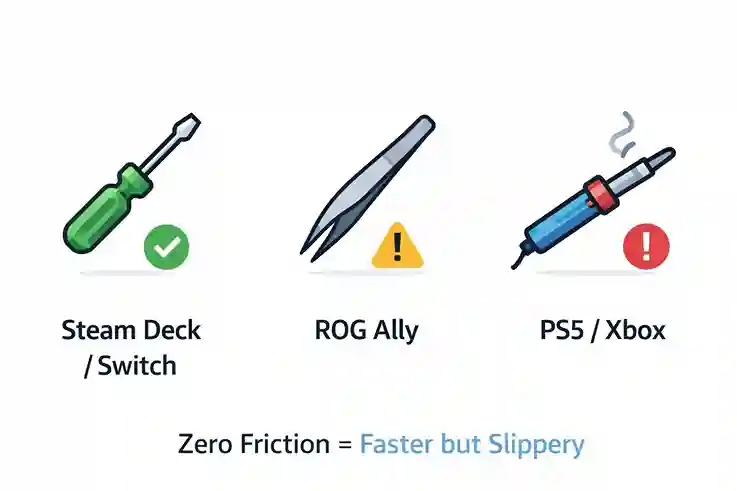 Know your limits: Some installs are plug-and-play, others require soldering skills.
Level 1: Easy (Screwdriver Only)
Steam Deck / Switch Joy-Cons: GuliKit sells kits where the stick is already on a small circuit board. You just open the case, unplug the old ribbon cable, plug in the new one, and close it up.
Level 2: Moderate (Tweezers & Patience)
ROG Ally: Similar to the Steam Deck, but the insides are tighter. You need steady hands.
Level 3: Hard (Soldering Required)
PS5 DualSense / Xbox Series X: The joysticks are soldered directly to the main motherboard. You have to melt the old solder, suck it out, pull the old stick, and solder the new K-Silver or GuliKit module in. Do not attempt this unless you have a soldering iron and flux.
Common Hall Effect Upgrade Problems to Watch For
Even the best tech has bugs. Here is what to look out for after you install:
- Calibration Errors: After installing, your stick might not be centered. You must run a calibration tool. On PC, use Gamepad Tester to check your circularity error rate.
- Jitter: Sometimes, the sensors are too sensitive. If your thumb shakes even a tiny bit, the camera might shake. Increasing the "Dead Zone" in your game settings slightly can fix this.
- Interference: Since these work on magnets, strong magnetic sources nearby (like a magnetic phone case resting on the controller) could theoretically mess with them. This is rare, but possible.
Frequently Asked Questions
Does a Hall Effect upgrade fix stick drift permanently?
Yes, in 99% of cases. Since Hall Effect sensors use magnets instead of physical contacts, they do not wear down like standard potentiometers. This effectively eliminates drift caused by wear.
Is GuliKit better than K-Silver?
It depends on your device. GuliKit is generally better for drop-in replacements on handhelds like the Steam Deck. K-Silver is often preferred for PS5 and Xbox controllers due to its tighter tension and centering.
Do Hall Effect sticks improve aim?
They improve consistency because they don't drift. However, they feel "looser" than standard sticks. It may take a few days to get used to the lack of friction for precise aiming.
Can I install a Hall Effect upgrade without soldering?
Only on modular devices like the Steam Deck, ROG Ally, or Nintendo Switch (using GuliKit kits). For PS5, PS4, and Xbox controllers, soldering is almost always required.