
You have adjusted your sensitivity. You have fixed your button layout. But have you checked your deadzone shape?
Most gamers do not know this setting exists. However, for competitive players in Rocket League, Call of Duty, or Apex Legends, your deadzone shape can affect how the stick reaches the outer input range.
This guide explains the difference between Circular (Radial) and Square deadzones. We will help you test your current shape using our free tool and decide which one fits your playstyle.

What is a Controller Deadzone Shape?
To understand the shape, we first need to define two important terms.
- Deadzone (Inner): This is the small area in the center of your stick. If you move the stick inside this area, the game ignores the movement. This can help prevent unwanted stick movement.
- Input Border (Outer): This is the outer range where the stick reaches maximum input.
By default, many controllers use a Circular output shape. However, controller software can remap that output into a Square shape.
The "Corner Problem": Why Gamers Switch to Square
Why would you want a square deadzone? It comes down to how diagonal input is mapped.
Imagine a circle drawn inside a square box.
- The Problem: The circle reaches the four flat sides but does not reach the corners of the square.
- The Result: With a circular output, diagonal input can reach the outer boundary differently from horizontal or vertical input. A square remap can extend that diagonal range toward the corners.
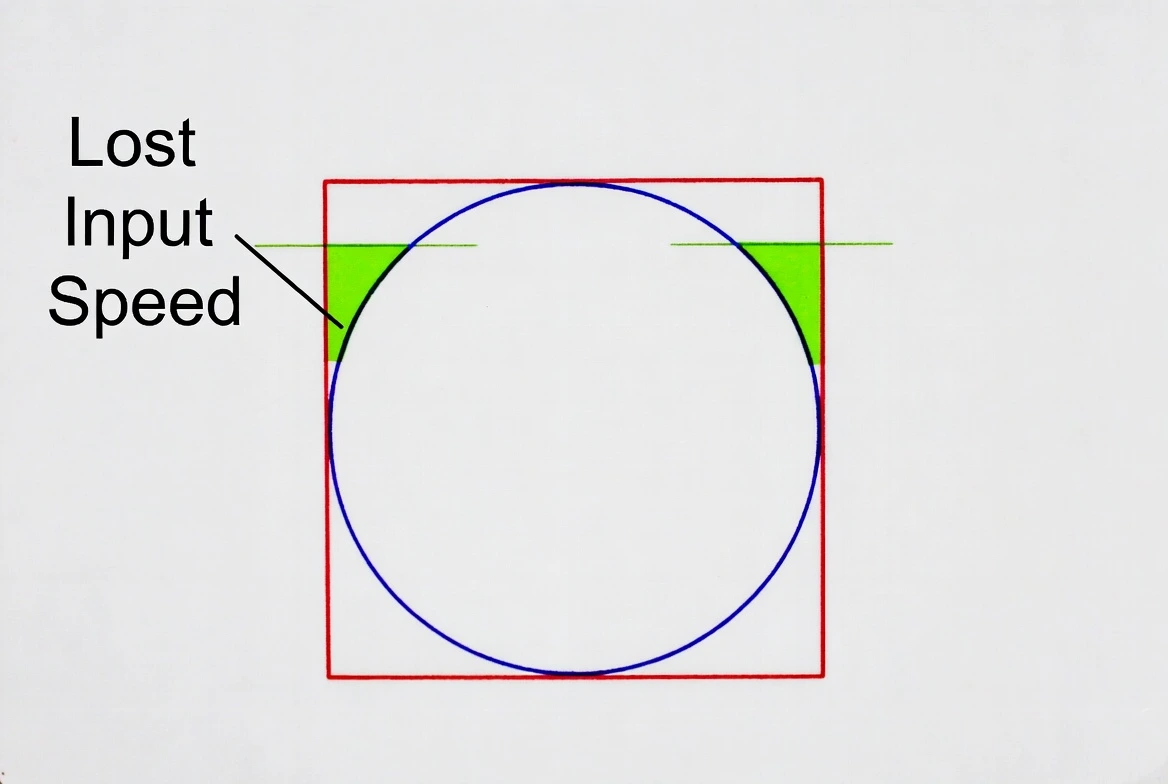
The Math Behind It
The distance from the center of a unit square to a corner is longer than the distance from the center to a point on a unit circle.
- Square corner distance: approximately 1.41 relative to a 1.0 unit axis.
- Circle radius: 1.0.
Key Takeaway: Square remapping can provide more diagonal reach, while circular mapping keeps the input geometry smooth and consistent in all directions.
Interactive Test: Do You Have a Square Deadzone?
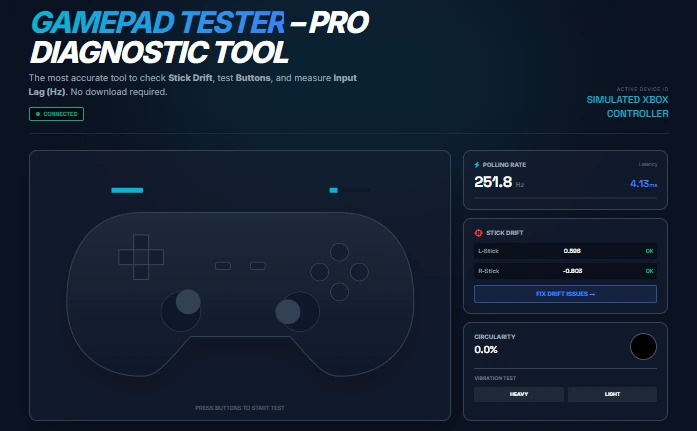
You do not need to guess. You can inspect your controller's actual output using our free tool.
How to Check Your Shape:
- Open the Gamepad Tester Tool.
- Connect your controller.
- Move your analog stick slowly in a circle while following the physical edge of the stick gate.
- Watch the Circularity Error result and the input visualization.
- Lower circularity error: generally indicates a rounder output path.
- Higher circularity error: can indicate a more square or irregular output path.
Comparison Table: Circular vs. Square
| Feature | Circular (Radial) | Square |
|---|---|---|
| Shape | Round output map. | Box-shaped output map. |
| Diagonal Reach | Natural circular limit. | Extended toward the corners. |
| Feel | Smooth and consistent. | Can feel faster or more aggressive. |
| Best For | Aiming, shooting, sports and general use. | Movement-focused play and players who prefer stronger diagonal reach. |
Which Shape Should You Use? (Game by Game)
The "best" shape depends on what you play and how your controller feels.
1. Rocket League
Try: SQUARE 🏆
Movement-heavy players may prefer square mapping because it can provide stronger diagonal output and a more immediate feel for aerial inputs.
2. FPS (CoD, Apex)
Try: CIRCULAR 🎯
Circular output is often easier to control for players who prioritize smooth aiming and predictable small adjustments.
3. Sports Games: EAFC / NBA 2K
Try: Circular. Smooth 360-degree control can make circular mapping feel more natural for dribbling and directional movement.
How to Change Your Deadzone Shape
Not every game exposes a deadzone-shape setting. On PC, controller-remapping software may provide additional controls.
Method 1: Steam Input
Steam Input can expose advanced joystick configuration options for supported games and controllers.
- Open Steam.
- Open your game's controller configuration.
- Select the left or right joystick.
- Open the available additional settings.
- If your configuration exposes Deadzone Shape, choose the shape you want to test.
Method 2: DS4Windows
If you use a PlayStation controller on PC, DS4Windows can provide additional controller-profile and output-curve controls.
- Open your active profile.
- Edit the left or right stick settings.
- Review the available output-curve and sensitivity controls.
- Test the result again with the Gamepad Tester.
Method 3: Consoles (Xbox / PS5)
Console players generally cannot globally replace the controller's output geometry with a custom square map. The available workaround is to use the deadzone, response-curve, and sensitivity settings exposed by the individual game.
Advanced: Hall Effect Sensors & Stick Drift
Many users come to our site to test Hall Effect controllers such as GameSir and GuliKit models.
Do Hall Effect sticks automatically have square deadzones?
No. Hall Effect describes the sensor technology, not the output shape. A Hall Effect controller can still use a circular output map, while its software may offer additional remapping options.
Useful Tools for Controller Maintenance
Changing a deadzone shape is a software task, so you do not need repair equipment just to test circular versus square output. However, if testing reveals a physical controller problem and you decide to inspect or clean the hardware, these are the maintenance products already used across our controller-repair guides.
Precision Screwdriver Set for Controller Repair
If controller testing points to a physical hardware issue and you need to inspect compatible electronics, a precision screwdriver set can be useful.
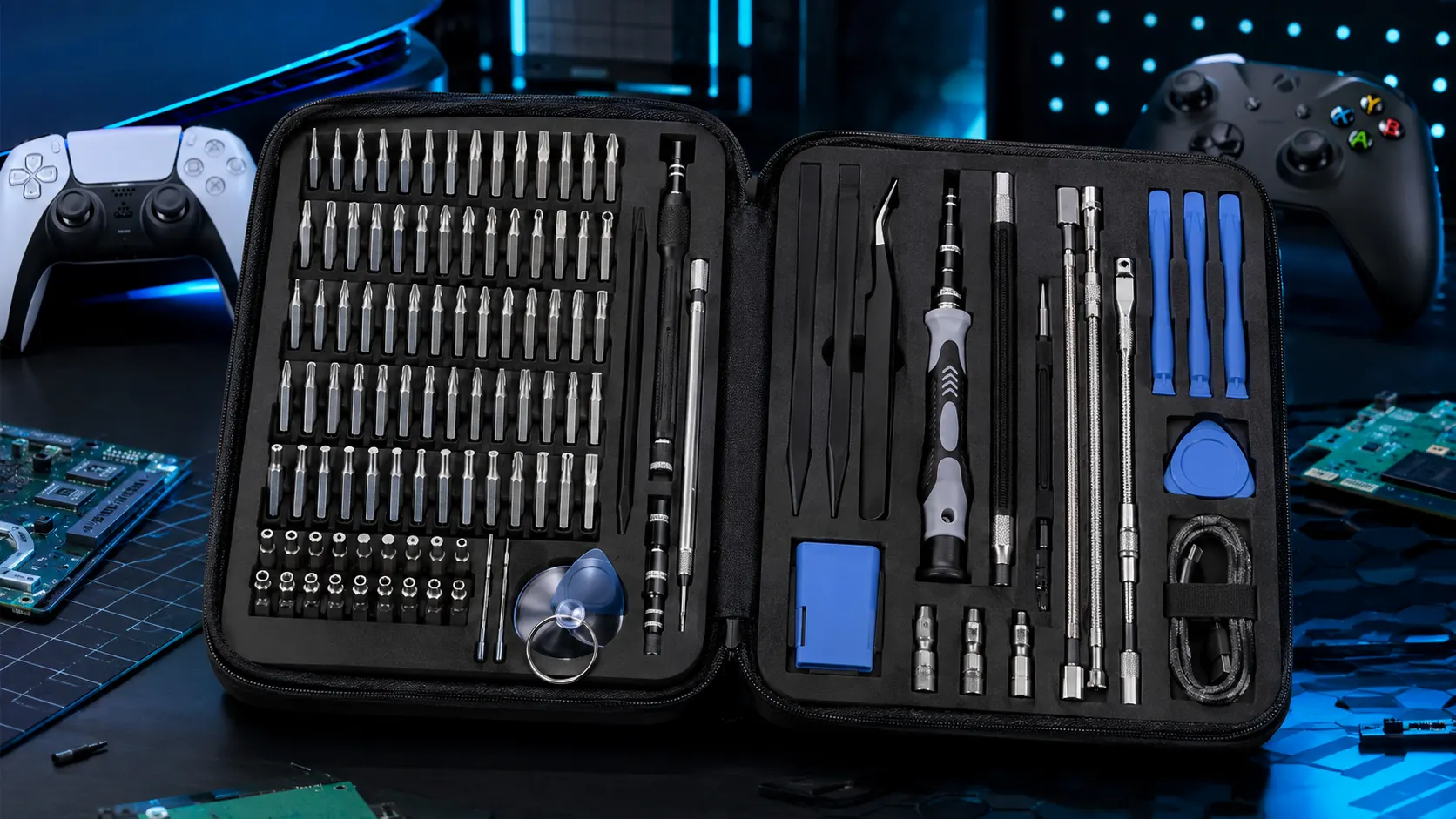
STREBITO Electronics Precision Screwdriver Set — 142-Piece
A large precision-bit set for small electronics and repair work.
View on AmazonElectronic Contact Cleaner
If testing suggests contamination may be contributing to inconsistent controller behavior, an electronics contact cleaner can be considered when used according to its product instructions.
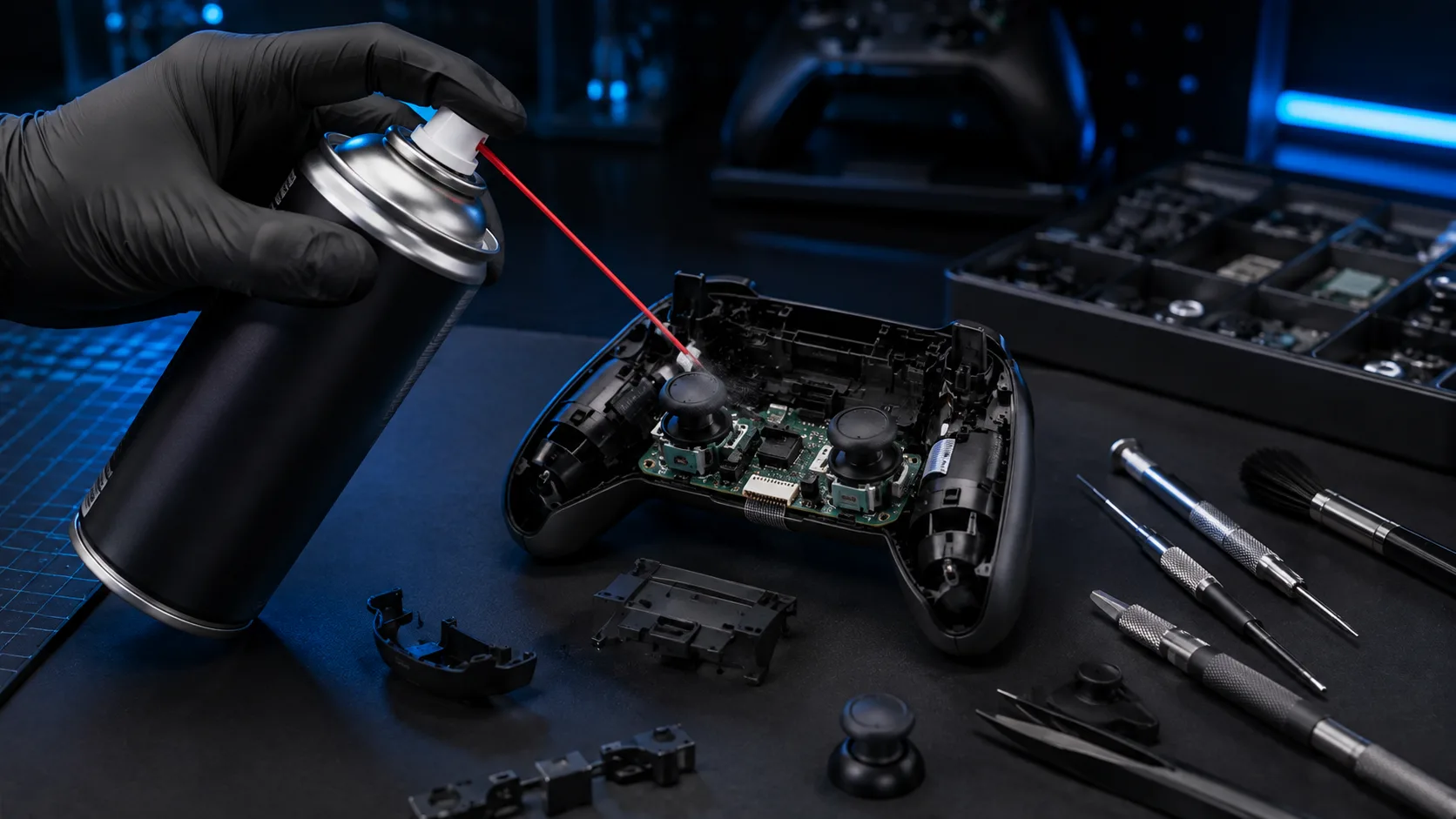
BW-100 Electronic Contact Cleaner
A non-flammable electronic contact cleaner marketed for electronic contacts and components.
View on AmazonImportant: Follow the product instructions and handle the controller safely. Do not spray blindly into a controller.
General Electronics Cleaning Accessories
For light maintenance around gaming hardware and small electronics, a compact multi-tool cleaning kit can be useful. It is a general cleaning accessory rather than a dedicated controller repair tool.
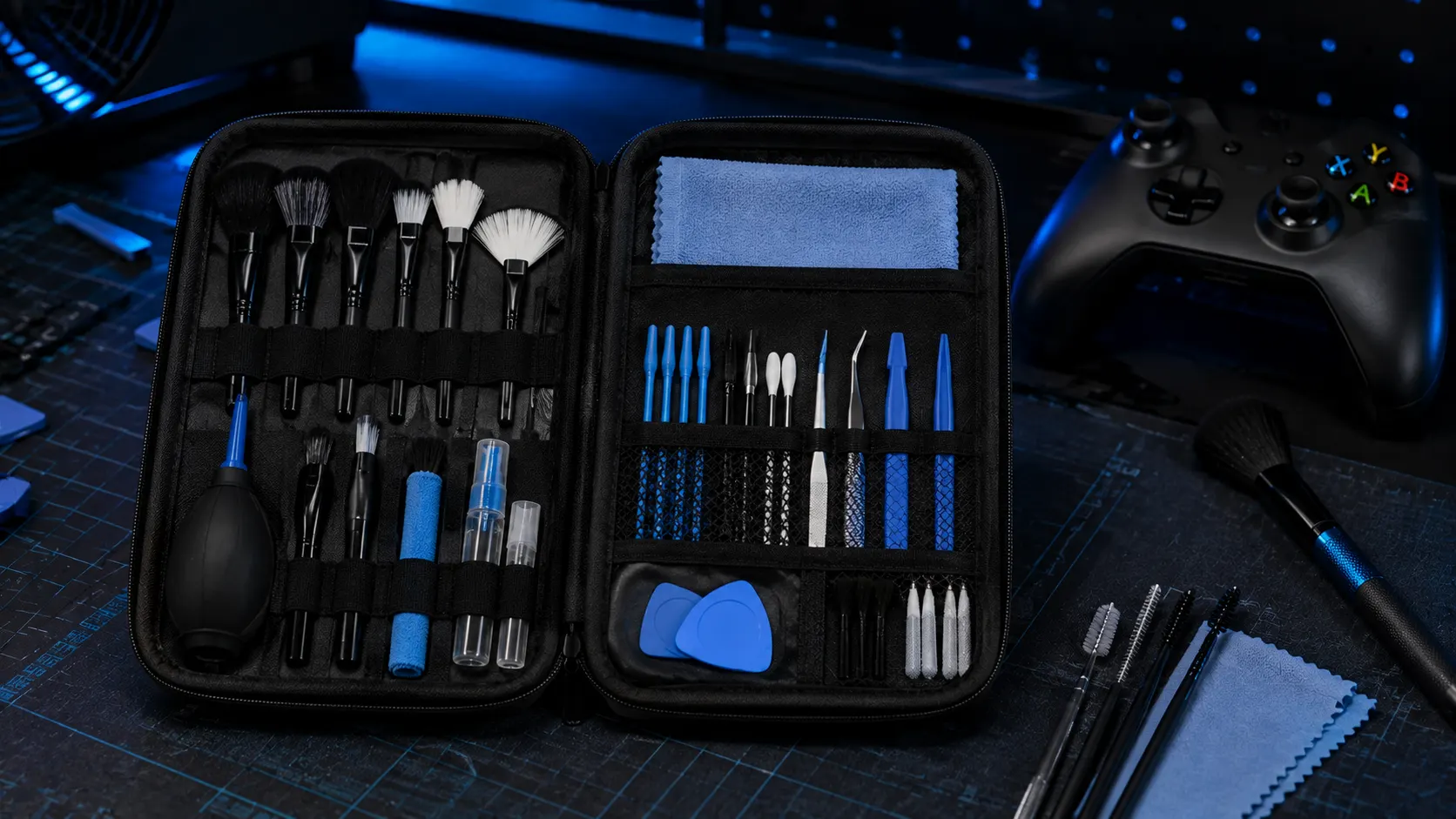
32-in-1 Electronics Cleaning Kit
Compact cleaning accessories for small electronics and gaming hardware maintenance.
View on AmazonFrequently Asked Questions
Does using a square deadzone add input lag?
The shape calculation itself does not inherently add input lag. The total latency of a setup depends on the controller, game, connection, software and other processing.
Is using a square deadzone considered cheating?
A deadzone shape is a configuration preference. Whether a particular remapping tool is allowed depends on the game and its rules.
Can I use square deadzone on PS5 or Xbox Series X?
Not as a universal system-wide output shape. Console games may provide their own deadzone, response curve, or sensitivity settings.
About the Author
"I’m a competitive gamer and hardware nerd. I built this Gamepad Tester because I was tired of missing shots due to faulty gear. I test controllers to help you save money and play better."