
Essential Software Tools for Controller Power Users
Hardware is only as good as the software driving it. While Windows has basic controller support built-in, it lacks the deep customization features required by power users. To get the most out of your gamepad, you need the right utility belt. This section of TestMyGamePad reviews, explains, and provides tutorials for the essential software ecosystem of PC controller gaming.
The King of Emulation: DS4Windows
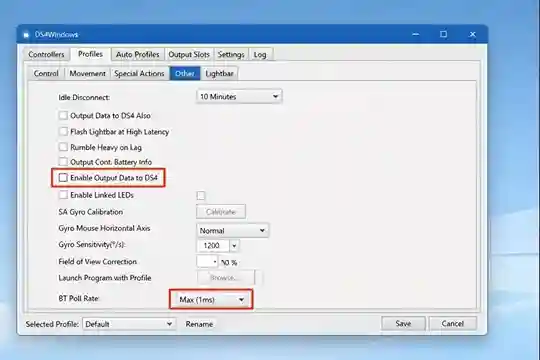
If you use a PlayStation controller on a PC, DS4Windows is non-negotiable. It tricks Windows into thinking your DualSense or DualShock 4 is an Xbox 360 controller, ensuring compatibility with Game Pass and older titles.
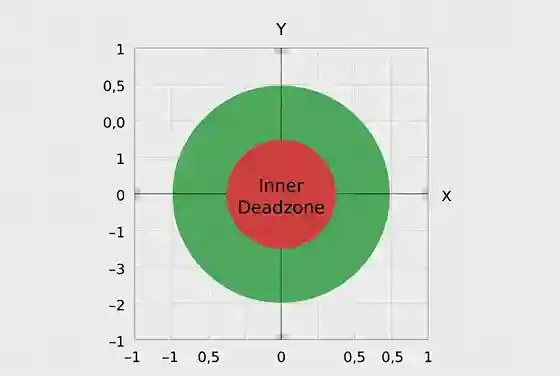
But it does more than just emulation. Our guides cover its advanced features: creating custom deadzone shapes (square vs. circle), mapping the touchpad to mouse inputs, creating macros, and adjusting the RGB light bar to indicate battery level. We also troubleshoot the dreaded "Double Input" issue using HidHide, a companion tool that hides the physical controller from the game so only the emulated one is detected.
Steam Input: The Universal Translator
Valve's **Steam Input** is arguably the most powerful controller software ever made. It supports virtually every gamepad in existence, from the Switch Pro Controller to generic DirectInput devices.
We dive deep into Steam Input's "Action Layers" and "Activators." Learn how to make a single button perform three different actions depending on whether you tap, hold, or double-press it. We also explore Gyro Aiming configuration, teaching you how to turn your controller into a precision mouse-like aiming device for shooters that don't support aim assist.
Diagnostics & Testing Utilities
How do you know if your settings are working? You need measurement tools.
- Gamepad Tester (Web): The quickest way to visualize stick drift and button inputs in a browser.
- XInputTest (Local): A specialized tool for measuring real-time polling rates and latency jitter without browser overhead.
- Durazno: An older but vital tool for visualizing linearity and raw input data, useful for detecting hardware flaws that other tools miss.