
You just bought a new controller, or maybe you finally upgraded to Hall Effect sticks. You plugged it into our Gamepad Tester Tool, and you see red numbers. The "Average Error" is 15%. Panic sets in. Is it broken? Do you need to return it?
Here is the truth: A high error rate does not always mean your controller is bad. In fact, for some competitive shooters, a higher error rate is actually better. Let’s break down exactly what these numbers mean so you can stop worrying and get back to gaming.
Centering Error Explained: The "Good" vs. "Bad" Error Rates
When we talk about centering error, we are measuring how perfect of a circle your joystick can draw. Testing tools compare your stick’s movement to a mathematically perfect circle. If your stick moves slightly outside or inside that perfect line, the tool marks it as an "error."
So, what is a "good" number? It depends entirely on what hardware you are using.
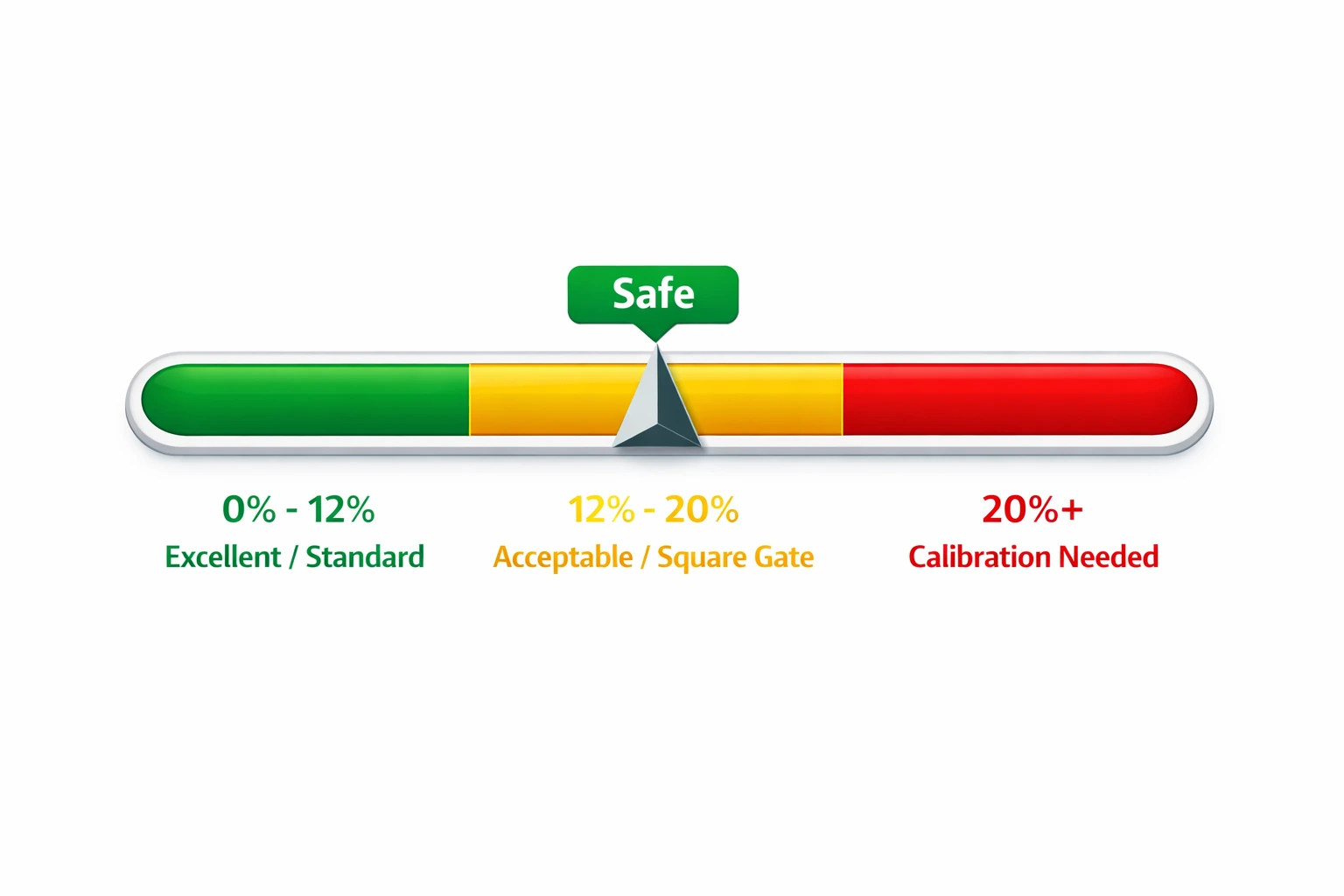
Standard Potentiometer Joysticks (PS5/Xbox Stock)
Most stock controllers use standard potentiometers (mechanical parts that wear out).
- Good Range: 8% – 12%
- Why: Factories leave a little room for error to prevent stick drift. If your DualSense says 10%, that is completely normal.
Hall Effect Joysticks (GuliKit, TMR)
These use magnets and don't touch physically, so they are more precise.
- Good Range: 0.5% – 5%
- The Catch: This is only if they are calibrated perfectly. If you just installed them and see 20%, you likely skipped the calibration step.
| Controller Type | "Good" Error Rate | Action Needed? |
|---|---|---|
| Stock PS5 / Xbox | 8% – 15% | None. This is standard. |
| Hall Effect (Calibrated) | 0.5% – 5% | None. This is elite. |
| Hall Effect (Uncalibrated) | 15% – 25% | Run calibration tool immediately. |
| Cheap 3rd Party | 20% – 30% | Hard to fix. Likely poor sensors. |
The "Square" Myth: Why High Error Can Be Good
This is the most common reason people return perfectly good controllers. Sometimes, you will see a centering error explained as "huge" (like 20% or more), and the shape on the screen looks like a rounded square, not a circle. This is often intentional.
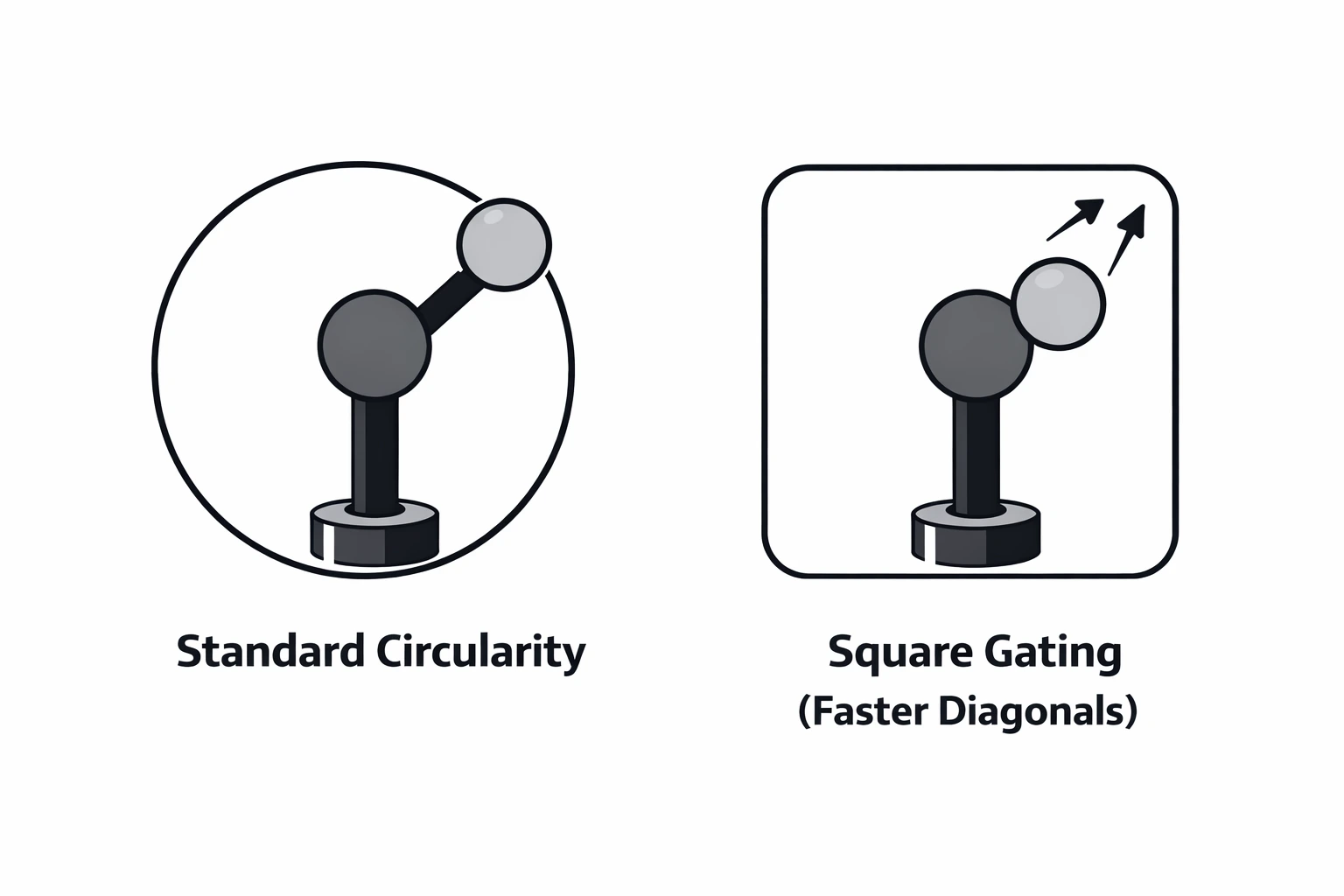
In fast-paced shooters like Call of Duty or Apex Legends, you want your stick to hit 100% input as fast as possible. A circular gate makes you push the stick all the way to the edge to reach full speed. A "squarish" gate lets you hit max speed with less movement, especially in the corners.
"If your error rate is high because the shape looks like a square, your controller is not broken. It is tuned for speed."
Centering Error Explained: Why 0% Error Is Suspicious
You might see a controller boasting a "0.00002%" error rate. You might think, "Wow, that is perfect." Be careful.
To get a centering error with basically zero deviation, manufacturers often use "Cardinal Snapping." This is a software trick. The controller forces your input to snap to straight lines (up, down, left, right). It looks great on a graph, but it feels terrible in a game. When you try to make a tiny adjustment to aim at an enemy’s head, the software fights you. A little bit of natural error (3-5%) feels much smoother to a human thumb than a robotically perfect 0%.
Drift vs. Circularity: They Are Not the Same
We need to clear up a big mix-up. "Average Error" and "Stick Drift" are two different beasts.
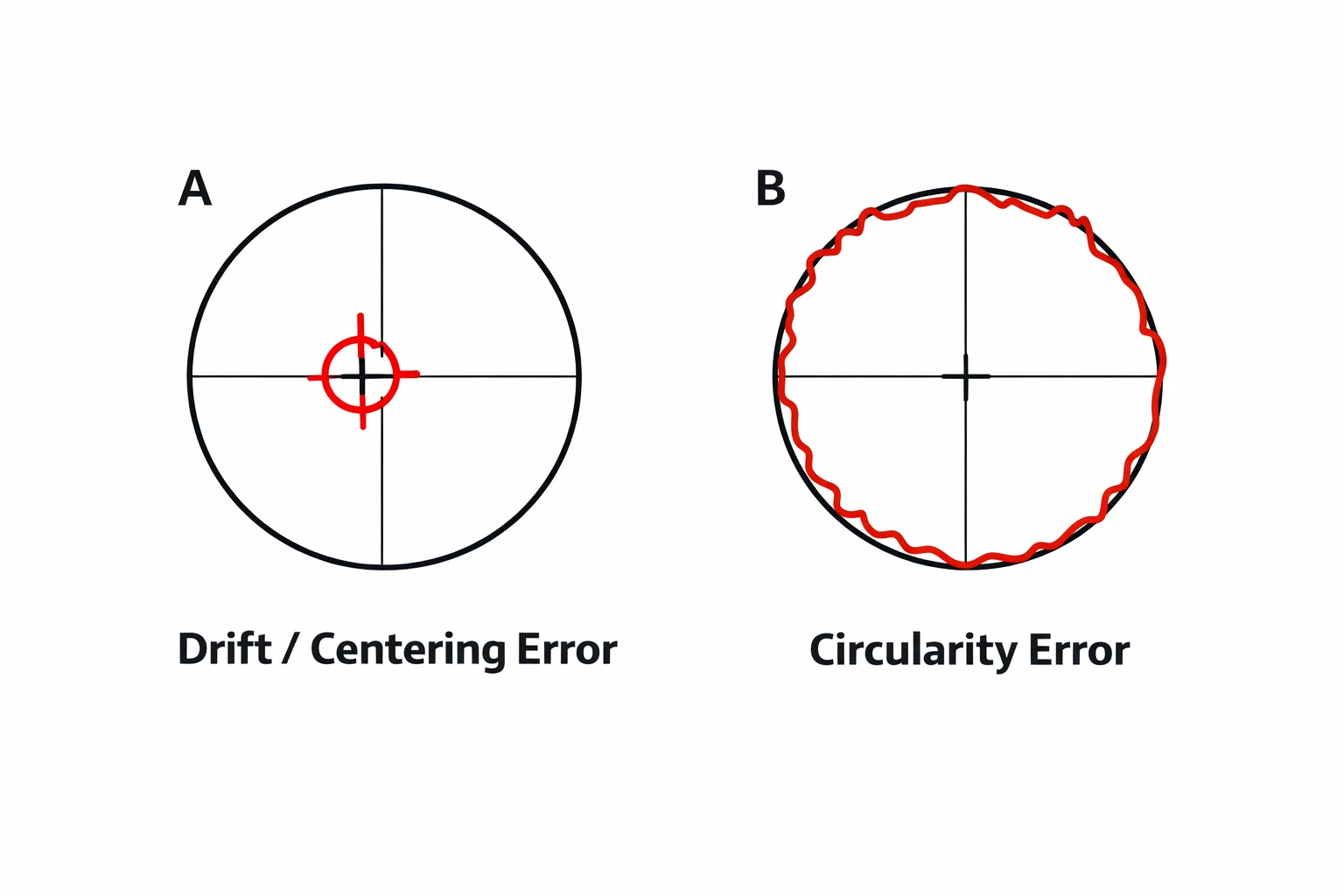
- Circularity (Average Error): How consistently the stick hits the outer edges. This affects how fast you turn or run.
- Centering (Drift): Does the stick return to the exact center (0,0) when you let go?
You can have a controller with a bad circularity error (15%) that has zero drift. That controller is perfectly usable. Check our guide on How to Fix Stick Drift if your center point is the real issue.
How to Test and Fix Your Error Rate
If your error rate is over 25% and your aim feels jerky, here is how you fix it.
1. Windows Calibration
If you are on PC, Windows has a built-in tool. Search "Set up USB Game Controllers" in Windows, select your controller, click Properties, and follow the Calibration wizard to reteach your PC where the edges are.
2. Web-Based Calibration
For custom Hall Effect installs, you can’t just use Windows. You need a tool that writes to the controller's firmware. Look for "Gamepad Calibration" tools online compatible with your specific stick brand (like GuliKit or JunZeng).
Ready to test your controller?
See if your error rate is in the "Green Zone" with our free tool.
Launch Tester ToolFrequently Asked Questions
What is a good average error for a PS5 controller?
For a standard DualSense controller, an error rate between 8% and 12% is considered good. Anything under 15% will not be noticeable during gameplay.
Why is my Hall Effect stick error so high?
If you just installed Hall Effect sticks and see a 20%+ error, it usually means the sticks need calibration. The magnets need to be "taught" the range of motion.
Does circularity error affect aim assist?
Indirectly, yes. If your circularity is poor, your input might jump or skip, which can break the "rotational aim assist" bubble in games like Apex Legends.