
Fortnite Controller Settings: Building & Aiming Meta
Fortnite on controller has evolved from "L2 Spam" to a mechanical art form. To keep up with PC players in box fights, you need settings that allow for lightning-fast edits without sacrificing shotgun accuracy. The first major choice every player must make is their Aim Curve.
Linear vs. Exponential
This is the defining choice of your playstyle.
- Linear: Maps raw stick input directly to screen movement. It feels incredibly twitchy and responsive. This is the choice for "Piece Control" players. It makes editing builds feel instant and consistent, but it makes long-range AR tracking much harder because you lose the "slowdown" safety net.
- Exponential: Starts slow and speeds up exponentially. This gives you fine control for micro-adjustments, making it the king of mid-to-long range beaming. If your playstyle relies on positioning and laser accuracy rather than flashy edits, stick to Expo.
The Multiplier Secret
You cannot play competitive Fortnite with a single sensitivity. You need low sensitivity to hit shots, but high sensitivity to build a 1x1 box instantly.
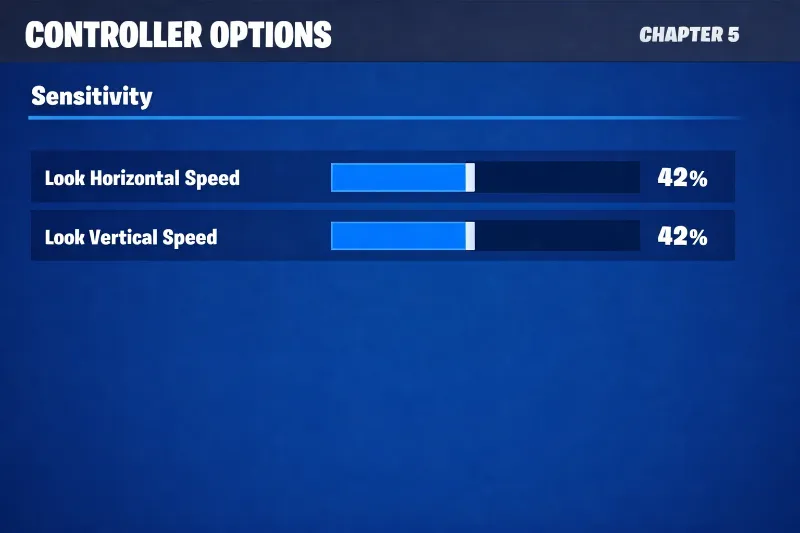
This is where Build and Edit Mode Multipliers come in. A standard pro setup uses a lower look sensitivity (around 40-45%) paired with a high multiplier (2.0x to 2.5x). This allows your character to spin like a tornado when you pull out your blueprints, but slow down immediately when you pull out your shotgun. Our guides help you find the exact ratio to stop you from "over-editing" or missing edits due to slowness.