
F1 24 Controller Settings: Finding the Grip Limit
Formula 1 cars put 1,000 horsepower through the rear wheels. Without a force-feedback steering wheel to tell you when the tires are slipping, driving an F1 car on a controller can feel like driving on ice. However, EA and Codemasters have improved gamepad handling significantly in F1 24—if you know how to calibrate it.
This hub is for players who want to turn off assists. If you want to run No Traction Control (TC) and No ABS (Anti-Lock Brakes), you cannot use the default controller settings. You need to adjust the linearity and saturation to give your fingers the precision of a pedal set.
Throttle and Brake Linearity
The triggers on a controller have a very short travel distance (about 1cm) compared to a real pedal. This makes it incredibly hard to apply "50% throttle" out of a corner without spinning.
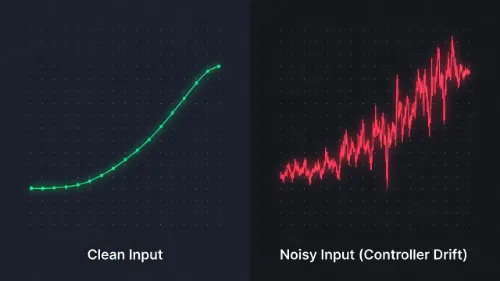
By increasing Throttle Linearity to roughly 50, you change the input curve. This makes the first 50% of your trigger pull much less sensitive, giving you a huge window of precision for low-speed acceleration. This is the secret to driving without Traction Control. Similarly, increasing Brake Linearity helps you trail-brake into corners without locking up the wheels instantly.
Steering Rate vs. Linearity
F1 24 includes a "Steering Rate" filter designed to stop controller players from turning the wheel unnaturally fast. While well-intentioned, this can make the car feel sluggish in chicanes.
Many top league racers recommend increasing Steering Linearity instead. A higher linearity (e.g., 30-40) makes the steering less sensitive near the center, allowing for smooth corrections on straights, but ramps up quickly at full lock for hairpins like the Monaco Grand Hotel.
PS5 Adaptive Triggers: Help or Hinder?
If you are on PS5, the Adaptive Triggers can physically lock up when your brakes lock, or vibrate when you lose traction. While immersive, this resistance causes finger fatigue during 50% or 100% race distances.
We recommend setting the Adaptive Trigger strength to "Weak" or "Medium." This gives you the tactile information you need to catch a slide, but removes the heavy resistance that slows down your reaction times.