
The Definitive Guide to Apex Legends Controller Settings
Apex Legends is widely considered the most mechanically demanding battle royale on the market. Unlike Call of Duty, where the Time-to-Kill (TTK) is nearly instant, Apex requires you to track fast-moving targets for extended periods. One missed clip with an R-99 usually means you lose the fight. Because of this high skill ceiling, playing on default controller settings is essentially a self-imposed handicap.
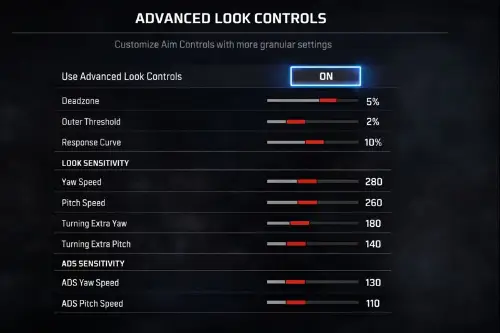
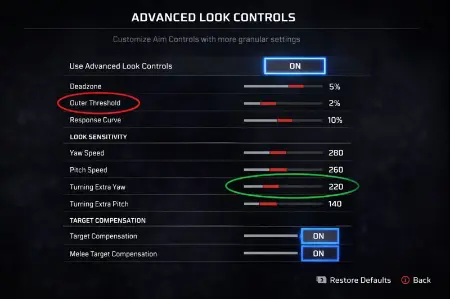
The controller meta in Apex has shifted dramatically over the years. In the early seasons, "4-3 Classic" was the standard. Today, professional players like Genburten and Verhulst have popularized 4-3 Linear or highly customized ALC (Advanced Look Controls) settings. This hub helps you navigate these complex menus to find the setup that matches your muscle memory.
The "Linear" Revolution
The biggest debate in the Apex community is between Classic and Linear response curves.
- Classic (Default): This curve adds a significant ramp-up delay. When you move the stick slightly, the game dampens the input. This makes it easier to control recoil at long range but makes close-range hip-fire feel "muddy" or slow.
- Linear (0 Response Curve): This maps your raw stick input 1:1 to the game. It feels incredibly twitchy at first, but it allows for micro-adjustments that are impossible on Classic. Linear is essential for "beaming" enemies who are strafing or tap-strafing in your face.
Mastering Deadzones
Apex Legends has very sensitive drift detection. However, to compete at higher ranks (Diamond and above), you need your deadzone as low as possible—ideally None or Small.
Why? Because Rotational Aim Assist (0.6 on console, 0.4 on PC) only activates when your camera or character is moving. A large deadzone creates a "dead space" where your input is zero, potentially deactivating aim assist during critical moments. We recommend finding the lowest deadzone where you can still control the drift, rather than eliminating drift entirely. A little bit of "stick drift" is actually good in Apex, as it keeps the aim assist engagement active.
Per-Optic Sensitivity
A common mistake is using a single sensitivity for all ranges. Tracking a target 5 meters away with a 1x HCOG requires a completely different stick speed than leading a target 200 meters away with a 3x Ranger or Sniper scope.
Our guides break down the math behind Per-Optic Settings. Generally, you want a higher multiplier (e.g., 1.2 or 1.3) for 3x and 4x scopes to compensate for the zoomed-in field of view (FOV). This ensures that your muscle memory for "how far to move the stick" feels consistent regardless of the weapon you are holding.