
Controller Overclocking: Pushing Hardware Limits
In the PC master race, we overclock our CPUs, our GPUs, and our RAM to squeeze out every last frame. So why are you letting your controller run at stock speeds? "Controller Overclocking" is the process of modifying the USB polling rate to force the device to report data to the PC more frequently. This section is dedicated to the tools and techniques required to turn a standard gamepad into a competitive weapon.
The 125Hz Bottleneck
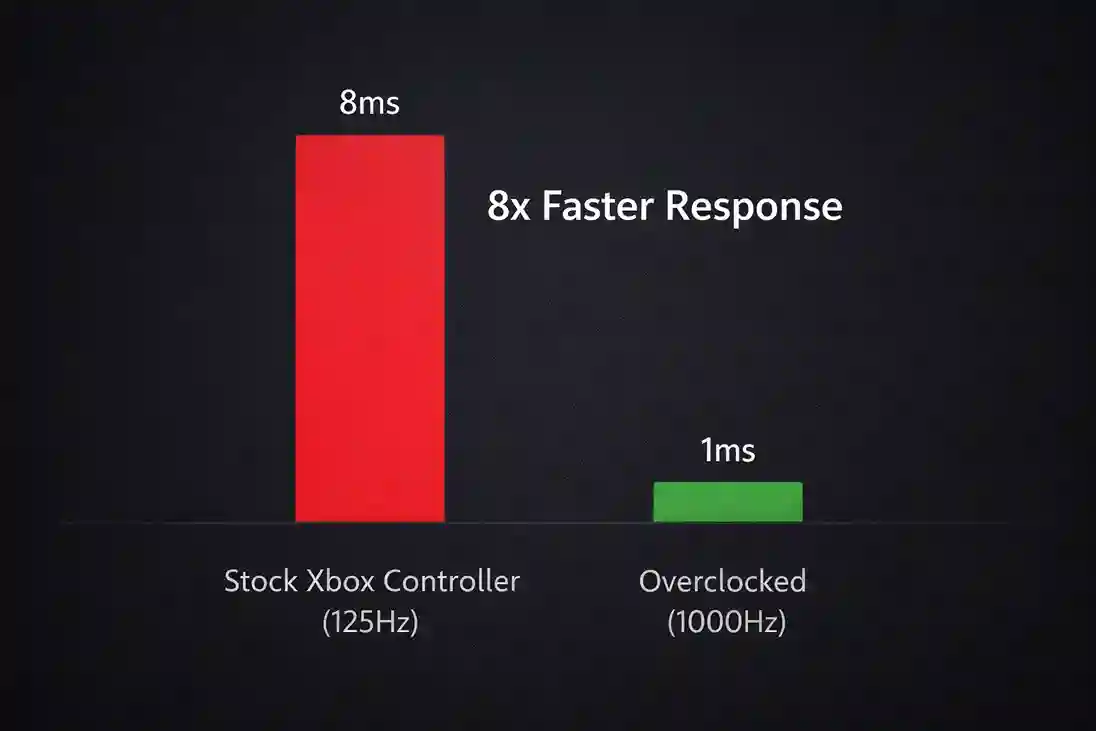
By default, Windows sets the polling rate for most generic HID (Human Interface Device) gamepads to **125Hz**. This means the controller updates its position every 8 milliseconds. In a game running at 144FPS or 240FPS, an 8ms delay is an eternity. It results in a feeling of "heaviness" or "float" when aiming.
Overclocking aims to bypass this Windows limitation. By modifying the driver, we can request a polling rate of **1000Hz**, reducing the delay to just 1 millisecond. For competitive shooters like Call of Duty or Apex Legends, this makes aim assist feel "stickier" and tracking feel instantaneous.
Tools of the Trade: HIDUSBF
The primary tool for this modification is HIDUSBF (often referred to as the "Lord of Mice" driver). It allows users to filter their USB devices and manually set the bInterval rate.
Our guides walk you through the complex installation process: disabling Secure Boot (if necessary), installing the unsigned driver, selecting the correct device endpoint, and verifying the new speed. One wrong click can disable your USB port, so our step-by-step safety precautions are essential reading before you attempt this mod.
Risks and Stability
Is overclocking safe? Generally, yes, but it comes with trade-offs.
- CPU Usage: A 1000Hz or 8000Hz device interrupts the CPU more often. On older dual-core or quad-core CPUs, this can actually cause frame drops in-game.
- Jitter: Pushing a controller beyond its hardware limits can cause inconsistent reporting. A stable 500Hz is always better than an unstable 1000Hz. We teach you how to test stability using XInputTest.
- Battery Drain: If you are overclocking a wireless connection (where possible), expect your battery life to be cut in half.