
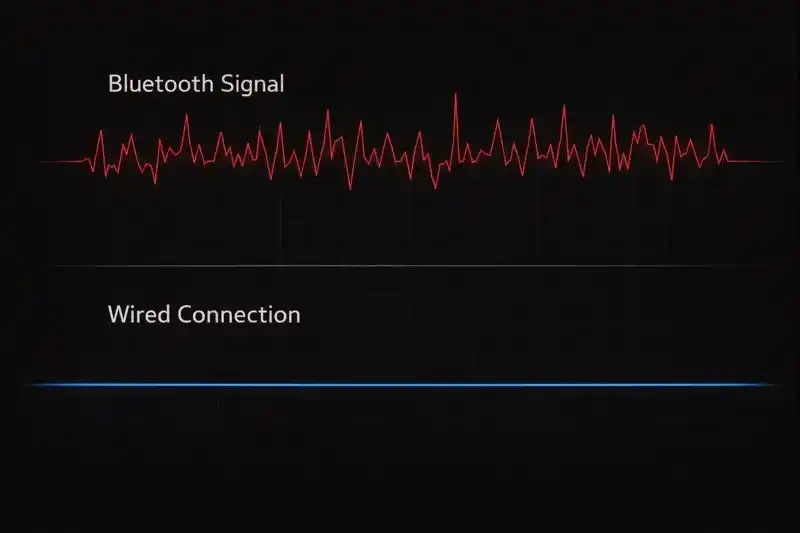
Bluetooth vs. Wired: The Science of Wireless Latency
For decades, the golden rule of competitive gaming was simple: "Always use a wire." Wireless technology was seen as convenient but too slow for ranked play. However, technology has evolved. With the advent of Bluetooth 5.0 and optimized 2.4GHz protocols, the gap between wired and wireless is shrinking. In this section of the TestMyGamePad Performance Lab, we investigate the real-world differences between cutting the cord and staying plugged in.
The Sony Anomaly: Why Bluetooth is Faster
One of the most surprising findings in controller science is the behavior of Sony controllers. Contrary to popular belief, the **DualShock 4 and DualSense (PS5)** controllers actually have lower input latency over Bluetooth than they do over a wired USB connection on PC.
This happens because the native USB polling rate for these devices is often capped at 250Hz (4ms) by the Windows HID driver. However, over a quality Bluetooth connection, they can naturally poll at upwards of 800Hz-1000Hz. Our guides explain how to harness this wireless speed advantage without suffering from signal instability.
The Enemy: RF Interference & Jitter
While wireless *can* be fast, it is rarely as stable as a wire. Stability is measured in "Jitter"—the variance between signal packets. High jitter results in input spikes where your camera movement feels stuttery or inconsistent.
Bluetooth operates on the **2.4GHz frequency**, which is the same highway used by your Wi-Fi router, your microwave, and your wireless headset. In a crowded room, packet loss is inevitable. We provide detailed troubleshooting guides on how to minimize interference, such as using USB extension cables to move your Bluetooth dongle away from the PC case (which acts as a Faraday cage) and closer to your hands.
Xbox Wireless: Dongle vs. Bluetooth
Microsoft controllers behave differently. Standard Bluetooth connections on Xbox Series X controllers can be notoriously laggy on PC, often capped at 125Hz with inconsistent pacing.
We analyze the performance difference between standard Bluetooth pairing and the official **Xbox Wireless Adapter (dongle)**. The official dongle uses a proprietary 2.4GHz protocol (not Bluetooth) that offers significantly higher bandwidth, lower latency, and support for audio over the controller jack. If you are serious about wireless Xbox gaming, understanding this hardware difference is critical.